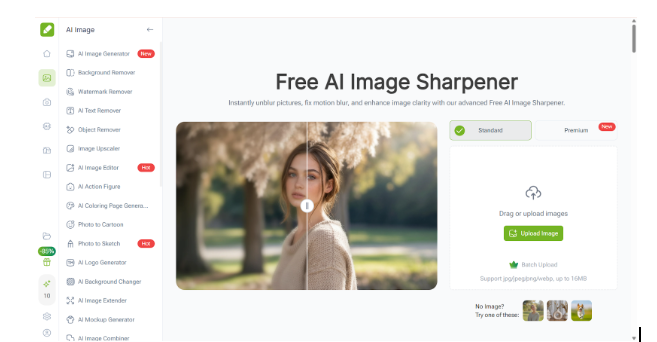
VisualGPT AI Image Sharpener and ImageEditor together provide an AI-driven workflow for restoring image clarity, enhancing fine details, and preparing visuals for real-world publishing and distribution.
The Widespread Problem of Image Blur and Detail Loss
Image blur and loss of sharpness are among the most common issues in digital content creation. These problems often arise from compression, resizing, low-resolution sources, motion during capture, or repeated image transfers. While blur may not always be immediately noticeable, it significantly affects perceived quality, especially when images are reused, enlarged, or displayed on high-resolution screens.
VisualGPT AI Image Sharpener is designed to address this issue at a structural level. Instead of applying generic sharpening filters, it uses AI-based analysis to identify edges, textures, and fine details, restoring clarity without introducing artifacts or excessive noise.
How VisualGPT AI Image Sharpener Works Differently
Traditional sharpening tools rely on contrast exaggeration, which often results in halos, grain amplification, or unnatural edges. VisualGPT AI Image Sharpener follows a different approach. It evaluates image regions contextually, distinguishing between meaningful details and background noise.
By reconstructing fine structures rather than simply boosting contrast, the tool enhances clarity while preserving the original visual balance. This makes it suitable for images intended for professional use, including educational materials, marketing assets, illustrations, and digital publications.
Preserving Natural Texture and Visual Integrity
One of the core strengths of VisualGPT AI Image Sharpener is its ability to preserve natural textures. Hair, fabric, illustrations, and subtle gradients remain visually consistent after enhancement. This is particularly important for images that will undergo further processing, such as resizing or compression, where artificial sharpening artifacts become more visible.
For content creators and publishers, this means sharper images without sacrificing authenticity or visual comfort.
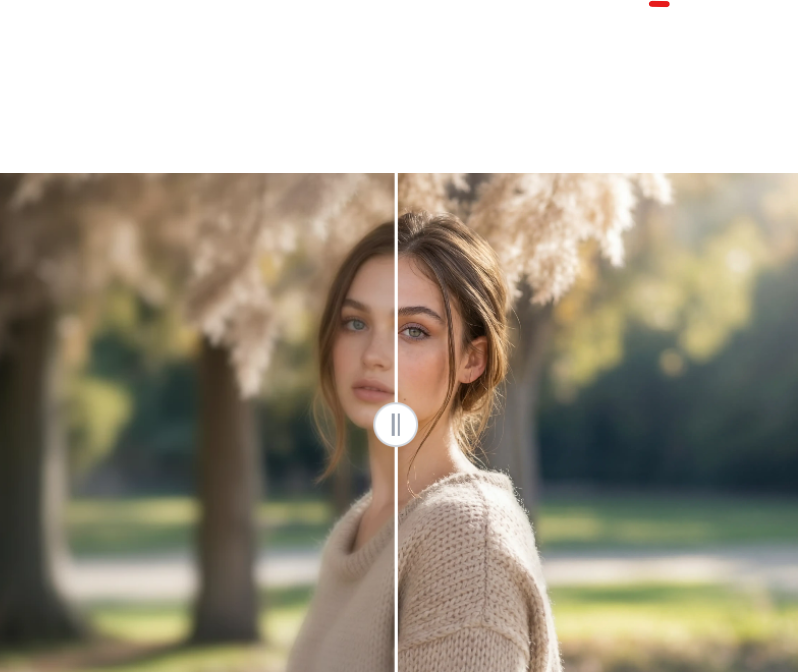 (VisualGPT AI Image Sharpener: Preserving Natural Texture and Visual Integrity)
AI-Driven Sharpening for Scalable Workflows
Manual sharpening requires subjective adjustments and repeated testing. VisualGPT AI Image Sharpener eliminates this variability by applying consistent AI logic across multiple images. This scalability makes it especially valuable for teams handling large volumes of visual assets.
By automating clarity enhancement, the tool reduces production time and ensures predictable output quality.
From Image Restoration to Technical Optimization
Once VisualGPT AI Image Sharpener restores image clarity and detail, images often require additional technical optimization before distribution. At this stage, the image is visually enhanced but may still contain residual watermarks, require resolution adjustment, or need format optimization.
This is where ImageEditor naturally complements the workflow.
ImageEditor as an AI Optimization Layer
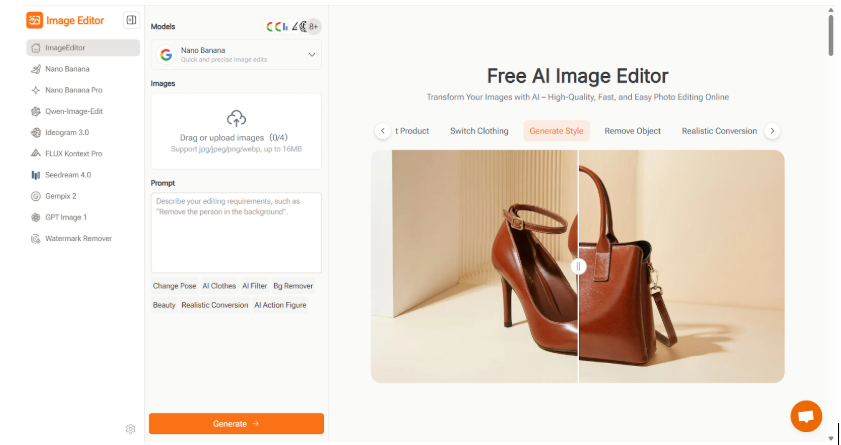
(ImageEditor as an AI Optimization Layer)
These optimizations ensure that enhanced images are technically ready for deployment. ImageEditor is an AI-powered image optimization tool designed to prepare sharpened images for practical use. After clarity enhancement with VisualGPT AI Image Sharpener, ImageEditor can:
Remove Residual Watermarks
Detect and eliminate remaining marks that were not part of the sharpening process.
Optimize Resolution and Format
Adjust images for web, social media, or documentation requirements.
Enhance Overall Presentation
Apply AI-driven brightness, contrast, and color balance improvements while preserving sharpened details.
A Practical AI Workflow Example
A realistic, production-grade image enhancement workflow for commercial or high-quality visual projects might involve three streamlined, sequential steps that balance AI efficiency and manual precision:
Clarity Restoration
Kick off the process with VisualGPT AI Image Sharpener to tackle blurriness, lost texture, and soft edge definition. This AI-powered tool leverages advanced machine learning algorithms to analyze and reconstruct fine details—whether it’s the intricate grain of a wooden surface, the crisp outline of architectural features, or the subtle texture of fabric—that would be tedious or impossible to restore manually.
Quality Validation
After the AI-driven enhancement, conduct a rigorous quality check to ensure the sharpened details appear natural and consistent across the entire image. This critical manual review step involves zooming into key areas to verify that edges don’t look over-processed, textures align with the image’s context, and there’s no unwanted noise or distortion introduced during sharpening.
Final Optimization
Wrap up the workflow with ImageEditor to polish the image for its intended use case. This step includes practical adjustments such as removing distracting watermarks or artifacts, calibrating resolution to match target platform requirements (e.g., high-DPI for print, compressed web-friendly sizes for social media or websites), and fine-tuning brightness/contrast to ensure the image performs well in different viewing environments.
Reducing Dependence on Complex Editing Software
By combining VisualGPT AI Image Sharpener(https://visualgpt.io/ai-image-sharpener) with ImageEditor(https://imageeditor.online/), users can achieve high-quality results without relying on complex desktop editing software. The AI-driven workflow lowers technical barriers while maintaining professional standards, making it accessible to both individuals and teams.
Conclusion
VisualGPT AI Image Sharpener (https://visualgpt.io/ai-image-sharpener) provides a reliable AI-based solution for restoring image clarity and enhancing fine details without compromising visual integrity. When paired with ImageEditor (https://imageeditor.online/), it forms a complete workflow that addresses both visual quality and technical readiness. This combination enables creators, publishers, and teams to produce sharp, clean, and distribution-ready images efficiently.